
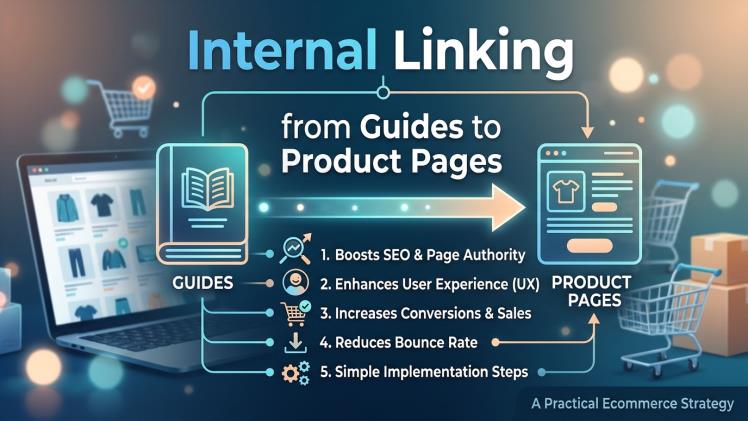
Internal linking from guides to product pages helps shoppers move from learning about a need to finding a useful solution. A well-written buying guide can explain a problem, compare options, and point readers toward relevant products without interrupting the advice. For ecommerce businesses, this structure can also help search engines understand how informational content connects to the products and categories a store offers.
The goal is not to add a product link to every paragraph. It is to make the next step clear when a reader is ready to take it. That takes careful planning: choose the right destination, explain why it is relevant, and make sure the guide remains helpful even to someone who is not ready to buy.
Start with the reader’s question
Guides work best when they answer a specific question. A store selling running shoes might publish an article about choosing shoes for long-distance training. A useful guide could explain cushioning, fit, terrain, and how to break in a new pair. Once those points are covered, links to a suitable shoe category or a small selection of models can help readers apply what they have learned.
Before adding links, identify the reader’s likely next question. Someone comparing materials may need a category page with several options, while a shopper who has settled on a particular style may benefit from a product page with detailed sizing information. Matching the destination to the reader’s stage makes a link feel like part of the answer rather than a sales interruption.
Choose destinations with care
A product page is not always the best destination. Category pages can be more useful when readers still need to compare several choices. A guide about different types of coffee grinders, for example, could link to a category page that groups manual and electric models. A section explaining one particular grinder’s features could point to that item’s product page.
Check that each destination provides the information the guide promises. If the text mentions available sizes, the linked page should make sizing easy to find. If a guide discusses materials or compatibility, readers should not have to search through unrelated listings to confirm those details. Accurate, relevant links build trust and make the shopping journey easier.
For a broader look at earning external links to ecommerce pages, this overview of ecommerce link building discusses product and category pages as link-building destinations. Internal links are different: they connect pages within the same site. Still, both approaches benefit from useful pages, clear organization, and a destination that deserves the reader’s attention.
Write natural, descriptive anchor text
Anchor text is the clickable wording in a link. It should tell readers what they will find after clicking. Phrases such as “view waterproof trail shoes” or “compare ceramic coffee grinders” are more informative than repeated uses of “click here.” Keep the wording concise and avoid forcing exact search phrases into sentences where they do not belong.
Links should sit close to the relevant explanation. If a guide describes why a certain feature matters, a nearby link to products that offer that feature is easy to understand. Avoid adding a cluster of product links at the end of every section simply to increase the number of links. A smaller set of well-placed links can serve readers better than a crowded page.
Build a clear route through the site
Think about how guides, categories, and product pages fit together. A guide can introduce a topic and direct readers to a category; the category can then help them compare products; each product page can provide specifications, availability, and purchase details. This route is easier to follow when page names and navigation are consistent.
It can help to map the site before publishing several related guides. Note which guide supports each category and which products are relevant to particular questions. This reduces the risk of creating orphaned pages—content that receives little navigation from the rest of the site—or sending readers to outdated products. When a product is discontinued, update links to a suitable replacement or a relevant category rather than leaving a dead end.
Measure usefulness and maintain the links
Look beyond the number of clicks. Check whether visitors who follow a guide link continue browsing, compare products, or complete a purchase. If readers leave quickly, the destination may not match the promise of the anchor text, or the guide may need a clearer explanation. Changes in inventory and site structure also mean links should be reviewed periodically.
Smaller teams may need outside help with content, search strategy, or site organization. If you plan to hire a freelance digital marketer, define the work first: for example, an audit of internal links, a content plan, or recommendations for improving category pages. Osdire explains how freelance digital marketing works and is one place where businesses can find services across marketing and other categories. Clear expectations make it easier to assess whether a freelancer’s skills fit the task.
Good internal linking is ultimately a service to the reader. When a guide provides sound advice and points to a genuinely relevant next step, it supports both discovery and shopping. Keep links accurate, use descriptive wording, and revisit the route as products and content change. That simple discipline can make an ecommerce site easier to navigate without turning every article into a catalogue.